Mastering Beauty Lighting & Fashion for Portrait Photography
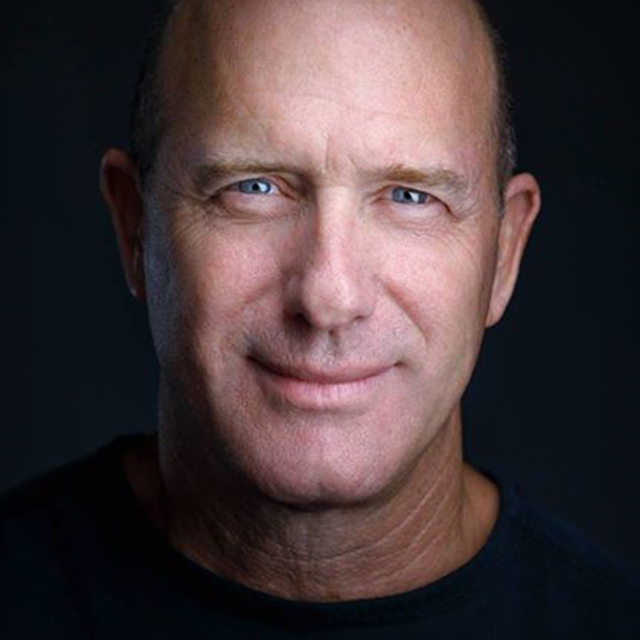
Acclaimed artist and commercial photographer Joel Grimes takes you behind the scenes in the studio and teaches you the fundamentals of his favorite lighting techniques that will enable you to take your photography to the next level. Joel stresses the importance of developing your creative process while mastering the technical aspects of your craft, because it is your creative vision that will set you apart from all the rest. After seeing how the photos are captured in studio you'll learn the secrets to Joel's retouching techniques for bringing out the best in a subject's skin and seamlessly compositing a subject into a new background.
Release Date: 2013-03-06
Lessons
The Creative Process
<p>Mastering your tools is only part of the process. What is most important that you fulfill your vision as an artist.</p>
Duration: 2 mins 35 seconds
Choosing the Right Modifier
<p>Knowing the principles of lighting will help you choose the right modifier for the desired look.</p>
Duration: 8 mins 31 seconds
Beauty Dishes
<p>You can achieve the same look with different beauty dish sizes just by changing the distance from the subject.</p>
Duration: 4 mins 13 seconds
Umbrellas
<p>A large umbrella can be a great source of light for lower cost.</p>
Duration: 4 mins 3 seconds
Working with the Beauty Dish
<p>Joel photographs a model with three different modifiers, starting with the beauty dish in this lesson, to compare the results each one produces.</p>
Duration: 11 mins 8 seconds
Working with the 5 Foot Octa
<p>The light modifier comparison continues with the 5 foot Octa.</p>
Duration: 5 mins 49 seconds
Working with the 7 Foot Umbrella
<p>The modifier comparison wraps up with a look at the 7 foot umbrella.</p>
Duration: 5 mins 14 seconds
High Key Look
<p>Using a three light setup Joel demonstrates how he produces a high key look.</p>
Duration: 6 mins 35 seconds
Creating Edge Light
<p>Joel demonstrates a super clean beauty shot with three lights and a new model.</p>
Duration: 8 mins 53 seconds
Full Length Shot
<p>The three light setup is slightly modified to create a full body shot that could later be cut out of the background and used in a composite.</p>
Duration: 3 mins 54 seconds
Building the Foundation for a Skin Retouch
<p>Joel starts by opening the photo as a smart object to maintain editing flexibility.</p>
Duration: 8 mins 26 seconds
Global Smoothing Technique
<p>This is a technique designed to maintain detail in the skin.</p>
Duration: 7 mins 24 seconds
Fine Tuning the Skin
<p>This step of the process is all about removing any flaws in the skin.</p>
Duration: 8 mins 24 seconds
Dodging and Burning
<p>Dodging and burning is an underrated technique, but a really important part of Joel's retouching process.</p>
Duration: 6 mins 32 seconds
Applying Final Touch
<p>The last step in the process is to determine the final levels of the tones on the skin.</p>
Duration: 7 mins 7 seconds
Blown Out High Key Look
<p>Joel demonstrates the retouching steps for achieving his signature high key look.</p>
Duration: 8 mins 34 seconds
Starting the Composite
<p>A composite combines a photo of a model shot in studio with an interesting background taken at a completely different location.</p>
Duration: 19 mins 14 seconds
Shadows and Shading
<p>Adding shadows and shading is one of the most important aspects of "selling the fake" and making the final composite more believable.</p>
Duration: 7 mins 4 seconds
Atmospheric Additions
<p>There are a few atmospheric effects you can add to really help pull it all together.</p>
Duration: 12 mins 45 seconds