Photoshop Tricks for Beginners
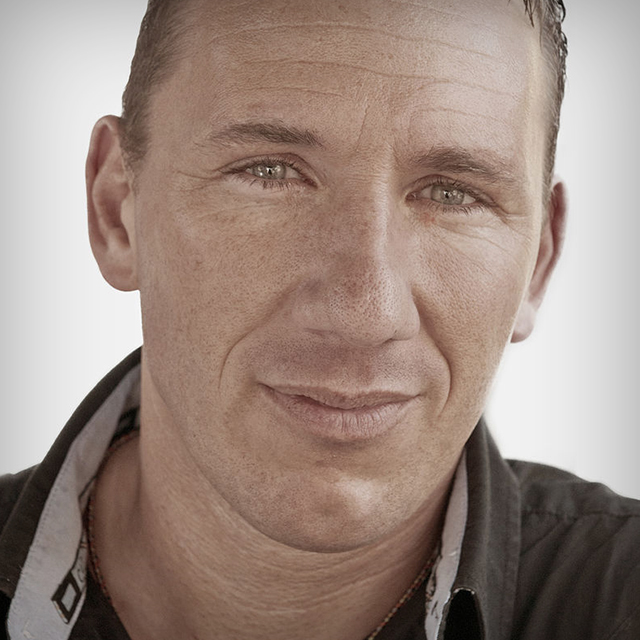
One of the things that make German photographer/digital artist Calvin Hollywood so unique is his approach to Photoshop - one that comes from hours upon hours spent exploring every facet of the program in order to develop a style that is instantly recognizable and completely his own. In Photoshop Tricks for Beginners, Calvin gives you a string of quick Photoshop tips that will instantly improve your own techniques in Photoshop CS5 and earlier versions. NOTE: Giving a class a skill level is always subjective. To some, this class may seem more advanced. We categorized this class for "beginners" because Calvin takes the time to explain the choices he makes, what tools he uses, and/or the functionality of certain features in order to give you a better understanding of how his effects are achieved and how you can utilize these tips in other situations. In addition, you'll find some more advanced tricks and tips for achieving his effects. The result: a thorough arsenal of Photoshop tricks that has something for everyone! PC USERS: Calvin uses a Mac in this class, but you can easily integrate every shortcut he shows by substituting the "Ctrl" button for the "Command" button.
Release Date: 2011-10-10
Lessons
Introduction
<p>Calvin introduces himself and talks about what he will cover during the course</p>
Duration: 1 mins 23 seconds
Brightening Eyes
<p>Calvin makes the iris pop with the exposure adjustment layer.</p>
Duration: 6 mins 15 seconds
Add a Glow to an Image
<p>Add an ethereal glow to a portrait. Great for wedding photos or anytime you want to convey a soft, beautiful light.</p>
Duration: 6 mins 26 seconds
Change the Light with a Vignette
<p>Calvin shows you two different ways he uses a vignette to change light – something he uses in 99% of his signature work.</p>
Duration: 4 mins 11 seconds
Learn Quick Mask and Brighten Teeth
<p>The purpose of this class is to learn quick masks but Calvin gives it a practical spin by showing you how to make teeth whiter too.</p>
Duration: 4 mins 28 seconds
Create a Color Cast
<p>By using a selective color adjustment layer, you can add to or change the "mood" of a photo.</p>
Duration: 5 mins 11 seconds
Luminosity Mask
<p>A basic technique that Calvin has discovered that most retouchers don't know or remember to use.</p>
Duration: 3 mins 39 seconds
Painting with Color and Brightness
<p>Use the blend mode to add color and brightness to hair.</p>
Duration: 3 mins 52 seconds
Highlight Commands
<p>Calvin shows you how to make certain commands easier to find in the command menus.</p>
Duration: 4 mins 29 seconds
Changing Color and Brightness
<p>Use adjustment layers, blend modes, and the color sliders to change color and brightness without making difficult selections.</p>
Duration: 3 mins 15 seconds
Add Dimension Without Liquify
<p>This trick is a great non-destructive alternative to using the Liquify tool to add dimension and keep the subject original.</p>
Duration: 3 mins 53 seconds
Contrast and Saturation
<p>Calvin shows you a few different tricks to make a photo pop more. Choose the one you like best.</p>
Duration: 4 mins 22 seconds
Painting with Color and Contrast
<p>Use a soft light blend mode to add contrast.</p>
Duration: 5 mins 16 seconds
Double RAW Conversion
<p>Calvin shows you a way to do more RAW conversions with one shot, along with a slightly more advanced technique.</p>
Duration: 4 mins 31 seconds
Light Background, Dark Hair
<p>Learn a neat trick to change a background and not have to deal with selecting around flyaway hair.</p>
Duration: 2 mins 44 seconds
Dark Background, Light Hair
<p>Same concept… slightly different approach.</p>
Duration: 2 mins 8 seconds
Dark Background, Dark Hair
<p>Another great compositing tip that works with a textured background.</p>
Duration: 3 mins 4 seconds
Body Shaping
<p>Body contouring using the Pinch tool.</p>
Duration: 3 mins 36 seconds
Contrast and Colorize
<p>Colorize an adjustment layer for saturated and desaturated contrast</p>
Duration: 2 mins 52 seconds
Fashion Look
<p>A "pastel" technique Calvin uses often in his fashion photos, hence the name</p>
Duration: 3 mins 16 seconds
Elongating Legs
<p>Using Free Transform, Calvin slightly changes the model's leg length. Use sparingly!</p>
Duration: 2 mins 29 seconds
Conclusion
<p>Some final bits of advice from Calvin. Thanks for watching!</p>
Duration: 0 mins 54 seconds