Photoshop Elements 9 for Photographers
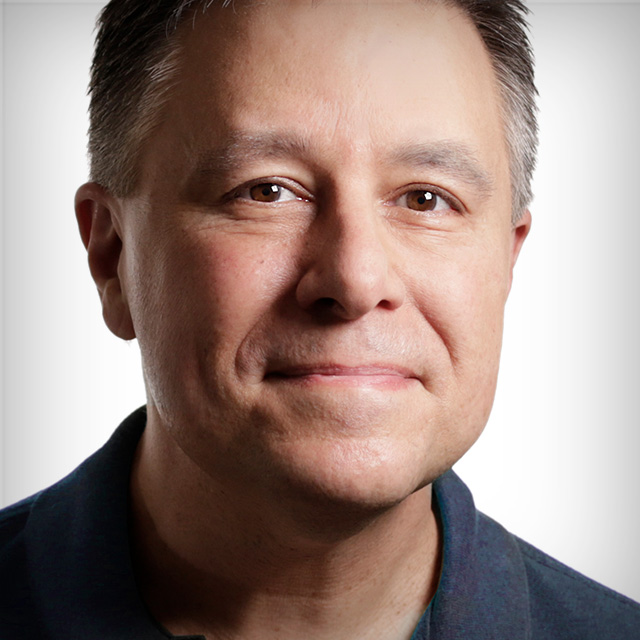
Photoshop Elements 9 for Photographers is an in-depth class loaded with detailed lessons to help photographers master the fine adjustments necessary to make their images look just right. If you're more than a beginner, and you feel like the automatic ‘fixes' Elements offers don't give you enough control, then this class is for you! Larry Becker takes you through numerous exercises to show you how to fix everything from portraits to landscapes, he covers photo finishing, hard-to-select objects, compositing, color correction, printing, and much more. Watch this class and you'll be amazed how much of a Photoshop Elements expert you become.
Release Date: 2011-08-18
Lessons
Introduction
<p>Larry introduces himself and talks about what he will cover in the course.</p>
Duration: 1 mins 11 seconds
Camera Raw In Depth
<p>Beginning with an understanding of why Camera Raw contains more information, Larry shows how to use the Basic panel sliders in Camera Raw to correct images.</p>
Duration: 14 mins 22 seconds
Camera Raw Details and Presets
<p>Beyond the Basics panel are Detail adjustments and an option to select presets called Camera Profiles.</p>
Duration: 13 mins 17 seconds
Opening JPEGs and Camera Raw
<p>Larry corrects a JPEG image with a bad color cast using Camera Raw (and there's a secret to opening JPEGs as Camera Raw files.)</p>
Duration: 8 mins 46 seconds
Correcting with Adjustment Layers
<p>Without actually altering pixels of your image, you can make color correction improvements using Adjustment Layers</p>
Duration: 7 mins 45 seconds
Adjustment Layers and Masks
<p>Larry goes through more of the Adjustment Layer options and describes what they all do. And then he shows how to make targeted adjustments using the built-in Layer Mask in an Adjustment Layer to spot correct.</p>
Duration: 6 mins 13 seconds
Recompose Tool
<p>This magical tool allows you to change the aspect ratio of an image and keep all the essential elements unchanged. Tips for making it work better and when it probably won't work at all.</p>
Duration: 13 mins 36 seconds
Collages
<p>Using Layer masks to collage 3 images into one.</p>
Duration: 9 mins 39 seconds
Retouching Portraits/Skin Imperfections
<p>Gettings started retouching portraits starts with retouching small skin imperfections that everybody has.</p>
Duration: 14 mins 9 seconds
More Retouching
<p>Fixing highlights, eyes, and teeth using adjustment layers and their layer mask.</p>
Duration: 10 mins 20 seconds
Dodging and Burning
<p>Larry not only shows you the basics of dodging and burning but he has a method for working quickly and doing this edit on its own layer. Then he finishes with some skin smoothing.</p>
Duration: 7 mins 36 seconds
Correcting Camera Distortions
<p>In preparation for a compositing exercize, Larry shows how to correct the perspective of a background layer using the Lens Correction filter.</p>
Duration: 5 mins 15 seconds
Compositing Steps
<p>Removing a model from the background and placing her into a different environment using the Magic Extractor.</p>
Duration: 10 mins 26 seconds
Refining the Composite
<p>Matching the colors of elements from 2 different exposures helps to make a believable composite.</p>
Duration: 11 mins 37 seconds
Experimenting with Special Effects
<p>Some strategies for adding and controlling special effects using the various filters and photo finishing effects.</p>
Duration: 7 mins 59 seconds
Rich Black and White
<p>Using a Gradient Map adjustment layer, Larry shows you how to get a much better black and white image than simply desaturating the image.</p>
Duration: 5 mins 15 seconds
Smart Brush Automated Fixes
<p>Using the Smart Brush tool, automated fixes can be applied to specific areas of your images.</p>
Duration: 9 mins 26 seconds
Photo Merge
<p>Blending multiple images automatically to create panoramas or exposure blending.</p>
Duration: 10 mins 24 seconds
Adding Finishing Touches
<p>This module covers how to add vignettes for visual interest, creating a simulated matte, and adding rough painted borders.</p>
Duration: 7 mins 10 seconds
Sharpening
<p>Larry shows you the methods of sharpening that give you the most control.</p>
Duration: 5 mins 38 seconds
Preparing Images for the Web
<p>Choosing the right options in the Save for Web dialog box.</p>
Duration: 9 mins 6 seconds
Preparing Images for Printing
<p>Make sure you have the right resolution for output and then go through all the settings in the Print dialog box.</p>
Duration: 12 mins 15 seconds
Wrap Up
<p>Thanks for watching.</p>
Duration: 0 mins 24 seconds