Photographer: The Project
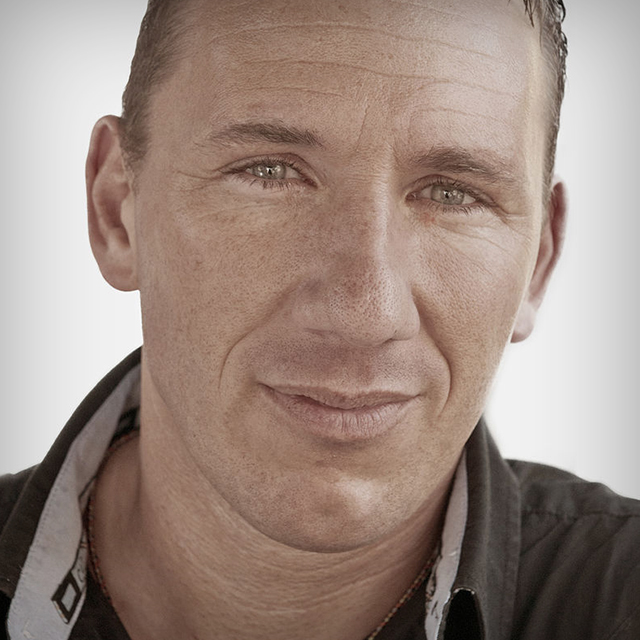
Calvin Hollywood shows you a personal portrait style that's fun and easy to learn with the interesting twist of other photographers being the models for this type of shoot! Join us and Calvin as you learn this new and unique way to take beautiful portraits of the people around you.
Release Date: 2011-08-11
Lessons
Introduction and Studio Setup
<p>Calvin discusses the lighting setup and backdrop characteristics needed to capture the right look.</p>
Duration: 5 mins 28 seconds
Shooting the Model
<p>Camera settings, positioning your model, and shooting tethered.</p>
Duration: 6 mins 49 seconds
The Retouch Begins
<p>Workflow begins with Camera Raw improvements and opening images in Photoshop as Smart Objects.</p>
Duration: 8 mins 34 seconds
Freaky Amazing Details
<p>Calvin's signature approach to agtting incredible detail in an image while avoiding hi-pass halos.</p>
Duration: 7 mins 10 seconds
Details with Topaz
<p>Similar in result but with fewer steps, Calvin shows the Topaz plug-in variation of Freaky Amazing Detail.</p>
Duration: 5 mins 28 seconds
Small Fixes
<p>Retouching dust spect and skin irregularities.</p>
Duration: 3 mins 36 seconds
Extracting the Model
<p>Pulling the model off the background via Quick Selection and then adding a colored fill layer and changing the blend mode changes the background color very quickly.</p>
Duration: 6 mins 24 seconds
Refining the Selection
<p>Refine Mask and hand painting refines the mask completely.</p>
Duration: 5 mins 7 seconds
Relighting the Background in Photoshop
<p>Using adjustment layers Calvin shows how to add a spotlight, vignette, and then shows how to organize the layers.</p>
Duration: 7 mins 32 seconds
Dodge and Burn Theory
<p>Calvin explains how depth comes from application of dodging and burning.</p>
Duration: 3 mins 24 seconds
Dodge and Burn Application
<p>Here the theory is applied to the actual model through both hard and soft dodging and burning. Calvin goes into detail about adding convincing dimension.</p>
Duration: 9 mins 57 seconds
Dodge and Burn Results and Color Matching Skin
<p>Calvin spent a little more time dodging and burning and shows the results of his work. Additionally, he shows how to get the model to blend smoothly with the new colored background that was added.</p>
Duration: 4 mins 52 seconds
Adjusting the Iris
<p>Starting with the Quickmask Mode, Calvin selects the eyes and applies a selective color adjustment.</p>
Duration: 5 mins 50 seconds
Experimentation and Art
<p>Calvin shows his artistic workflow as he experiments with different effects.</p>
Duration: 6 mins 19 seconds
Wrap Up
<p>Looking at the before and after reveals dramatic changes that have taken place throughout the class.</p>
Duration: 3 mins 18 seconds