Quick Composites From Photo to Finish
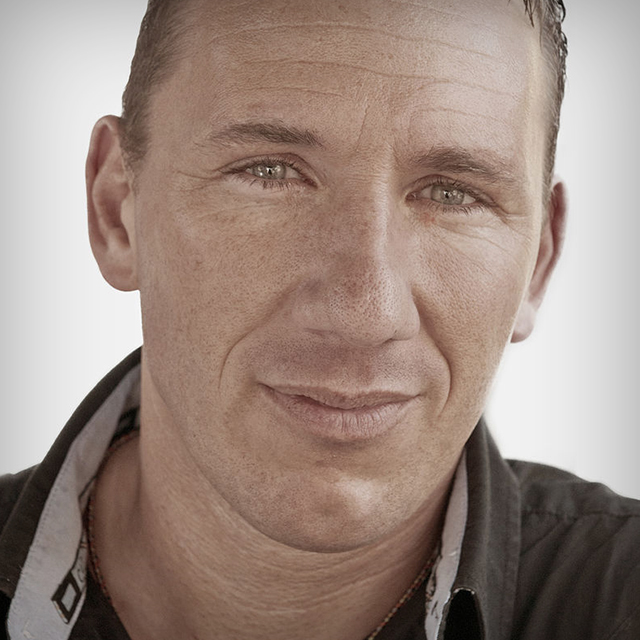
Putting a photo of your subject on a different background (compositing) does not have to be painstaking work, nor does it require any expensive plugins or additional filters. Join Calvin Hollywood, German photographer known the world over for his stunning portraits, as he takes you from the studio to the desktop and shows you, step by step, how to create a realistic composited image that tells a story in less time than you think.
Release Date: 2011-05-12
Lessons
Introduction
<p>Calvin introduces himself and talks about what he will be covering in the course</p>
Duration: 2 mins 26 seconds
Studio Overview
<p>Calvin explains his studio set up, the reasons behind background choices and prop placement, and the importance of having a team.</p>
Duration: 4 mins 27 seconds
Styling for Compositing
<p>Details matter when it comes to compositing – especially when you're telling a story. Making the clothes, hair and makeup match the final vision.</p>
Duration: 3 mins 12 seconds
Camera Settings
<p>Calvin shares his camera settings and white balance to achieve the depth of field and look he's going after. Plus, find out why tethered shooting is important in composite shots.</p>
Duration: 5 mins 37 seconds
Every Picture Tells a Story
<p>The story Calvin created for his portrait unfolds as he shoots to capture both the vision and the details of his story via technique and art direction.</p>
Duration: 7 mins 36 seconds
Finishing the Shoot
<p>You are in the studio, you got the shot, but why not take advantage of the situation to fire off some different shots to experiment with later?</p>
Duration: 5 mins 18 seconds
Textures
<p>You do not necessarily need the whole scene. Calvin explores the space around the studio to find textures for his composited background and to add to his personal library for a multitude of uses.</p>
Duration: 4 mins 33 seconds
Raw Conversion
<p>Calvin takes you through his Raw Conversion process. Your process may vary but here is what works for him in order to create his composite.</p>
Duration: 4 mins 24 seconds
Converting for Details
<p>Remember the importance of details from he shoot? Calvin converts his photo to bring out the most in his picture.</p>
Duration: 6 mins 12 seconds
Getting Freaky with the Details
<p>If the importance of details has not hit home yet, Calvin drives it there with his freaky amazing detail (FAD) technique.</p>
Duration: 7 mins 31 seconds
Quick Retouch
<p>Since it is not a beauty shot, a quick retouch with the healing brush is pretty much all you need.</p>
Duration: 3 mins 59 seconds
Adding the Background
<p>The reason behind Calvins choice of background during the shoot comes to light as he begins to build his composited shot without losing his original shadows.</p>
Duration: 6 mins 34 seconds
A Wall Becomes a Floor
<p>Using a wall texture from lesson 7, Calvin shows exactly how textures can become whatever to need them to become.</p>
Duration: 6 mins 43 seconds
Shine a Light
<p>Calvin shares the simplest aspect of his workflow that affects 99% of all his work – vignettes.</p>
Duration: 4 mins 13 seconds
Color Manipulation
<p>Experimenting with gradients, contrast and selective color to set the tone of the picture.</p>
Duration: 8 mins 9 seconds
Textures Revisited
<p>Calvin adds an amazing light-and-shadows effect to the composited photo with a picture of a grate from his textures library.</p>
Duration: 4 mins 41 seconds
Artistic Touches
<p>The artistry of Calvins workflow emerges as he adds his finishing touches freestyle, encouraging you to do the same in your projects.</p>
Duration: 5 mins 14 seconds
Recap
<p>Calvin goes over the entire lesson and gives a quick recap that will have you clicking on your own composites while muttering, Before. After. Before. After. in no time.</p>
Duration: 4 mins 27 seconds