Beauty Portrait Retouching for CS5
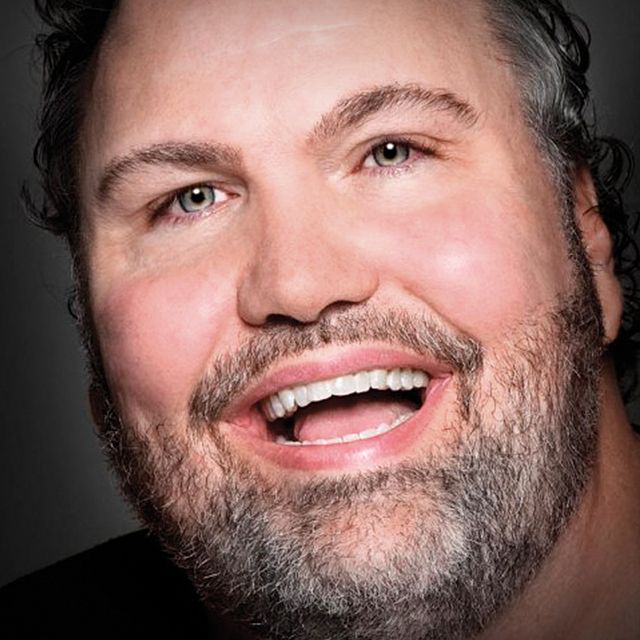
David Cuerdon returns with an all-new, updated version of his hit retouching class - Now for CS5. Beauty Portrait Retouching is more than just a class, it's like a makeup kit for your pictures. This class is packed with downloads from David including all new actions, swatches, color brushes and more. Plus, David shows you how to fix more real-life situations that photographers face and gives you his own files to work with to help you bring out the true beauty in your own subjects.
Release Date: 2011-05-06
Lessons
Introduction
<p>Dave gives you a quick overview about what's new and different in his retouching course, including a start to finish workflow, and shows you how to load the entire beauty kit</p>
Duration: 8 mins 26 seconds
Basic Retouch Start to Finish
<p>Dave applies his actual workflow on a regular person (i.e.: non-model) from start to finish for you to see the entire process and choose what works for you. In this segment, Dave covers Liquefy and retouching.</p>
Duration: 28 mins 24 seconds
Basic Retouch Continued
<p>The retouch continues with reducing.</p>
Duration: 6 mins 29 seconds
Eye Action
<p>Learn how to use Dave's Action for eyes to make them pop.</p>
Duration: 17 mins 54 seconds
Hair and Lashes
<p>Learn how to use Dave's Eyelash brush, clean up fly-aways, and add a little hair.</p>
Duration: 28 mins 24 seconds
Contour and Smooth
<p>After a quick teeth whitening, Dave finishes up with a little contouring to the face and lips, then a little more of his actions for skin smoothing and sharpening.</p>
Duration: 36 mins 16 seconds
Male Retouch
<p>Fixing skin imperfections and dealing with red skin patches. Plus, learn how to use Dave's skin tone swatches.</p>
Duration: 15 mins 55 seconds
Spooky Iris at a Distance
<p>Using the spooky iris, Dave adds a dramatic eye effect to a dramatically lit photo.</p>
Duration: 19 mins 13 seconds
Body Shaping
<p>Learn to use (but not over use) the liquefy tool for subtle body shaping.</p>
Duration: 9 mins 14 seconds
Eyebrows
<p>Dave takes a makeup approach to eyebrows to fix what the tweezers missed.</p>
Duration: 15 mins 30 seconds
Four Eyes are Better Than Two
<p>Learn how to deal with eyeglass glare in the studio and in Photoshop.</p>
Duration: 15 mins 1 seconds
Brace Face
<p>Erase expensive orthodonture wear in minutes.</p>
Duration: 10 mins 29 seconds
Fix the Fake Look
<p>Adding texture back in when the camera lights take it away with Dave's texturizer.</p>
Duration: 9 mins 26 seconds
Background Bonus
<p>As an added bonus, Dave shows you how to change the background of a photo to achieve a completely different look.</p>
Duration: 10 mins 55 seconds
Wash That Gray Right Out of Her Hair
<p>Use Dave's hair color swatches to wash some color back into graying hair.</p>
Duration: 6 mins 39 seconds
Conclusion
<p>Thanks for following along. Hope you learned a lot</p>
Duration: 4 mins 30 seconds