Beauty and Portrait Retouching Kit
Digital Artist David Cuerdon provides downloads and lessons in this course that are designed to help photographers improve the look and quality of their portrait images
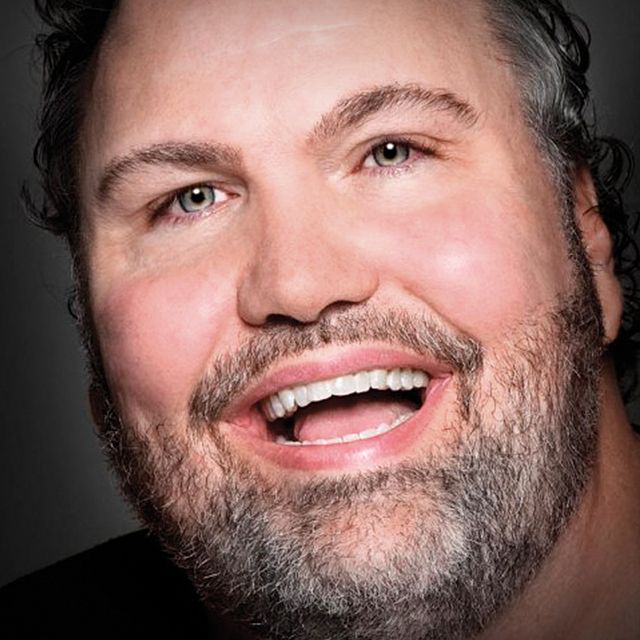
Release Date: 2008-12-11
Lessons
Introduction
<p>David introduces himself and gives an overview of what will be covered in this course</p>
Duration: 2 mins 9 seconds
Color Space
<p>Editing color settings in Photoshop and saving old settings</p>
Duration: 5 mins 11 seconds
Downloads Folder
<p>Covering Photoshop presets, plug-ins and stuff</p>
Duration: 9 mins 23 seconds
Eye Retouching, Part 1
<p>Eyes are the first things we look at in a face so retouching them is very important</p>
Duration: 12 mins 6 seconds
Eye Retouching, Part 2
<p>How to use the tools provided in the course downloads</p>
Duration: 3 mins 0 seconds
Eye Retouching, Part 3
<p>Painting on layer masks and redness removal</p>
Duration: 4 mins 14 seconds
Eye Retouching, Part 4
<p>Recreating the pupil and iris color boost</p>
Duration: 4 mins 58 seconds
Eye Retouching, Part 5
<p>Creating an iris ring and window catch light in the eye</p>
Duration: 11 mins 2 seconds
Eye Retouching, Part 6
<p>Creating the moon highlight that sits opposite the catch light</p>
Duration: 4 mins 28 seconds
Advanced Eye Retouching
<p>Some advanced techniques for eye retouching</p>
Duration: 8 mins 40 seconds
Working on Eye Brows
<p>Using custom shapes to shape eye brows</p>
Duration: 10 mins 39 seconds
Eye Lashes and Eye Liner
<p>Adding lashes with an eye lash brush and adding eye liner with a paint brush</p>
Duration: 4 mins 58 seconds
Color Swatches
<p>How to use the color swatches provided for the course</p>
Duration: 13 mins 18 seconds
Adjusting Skin Tones
<p>Using the color swatches provided to retouch skin tones</p>
Duration: 10 mins 35 seconds
Retouching Skin
<p>Getting ready of the bumps and blemishes on a portrait</p>
Duration: 6 mins 36 seconds
Skin Blurring
<p>Softening the skin with the surface blur filter</p>
Duration: 15 mins 29 seconds
Adding Blush
<p>Applying blush to the face with a solid color adjustment layer</p>
Duration: 4 mins 55 seconds
Facial Contouring
<p>Using the dodge and burn tools with the protect tones option in Photoshop CS4</p>
Duration: 4 mins 43 seconds
Full Lips
<p>The same contouring techniques learned in the previous lesson can be applied to the lips</p>
Duration: 7 mins 51 seconds
Whitening Teeth
<p>Using a hue/saturation adjustment layer to whiten the teeth</p>
Duration: 5 mins 22 seconds
Digital Tattoos
<p>Creating an eye tattoo like the one featured on the cover of PhotoshopUser magazine</p>
Duration: 8 mins 7 seconds
Conclusion
<p>A reminder to use the tool provided with this course to retouch your images</p>
Duration: 1 mins 56 seconds