Color Correction in Final Cut Pro
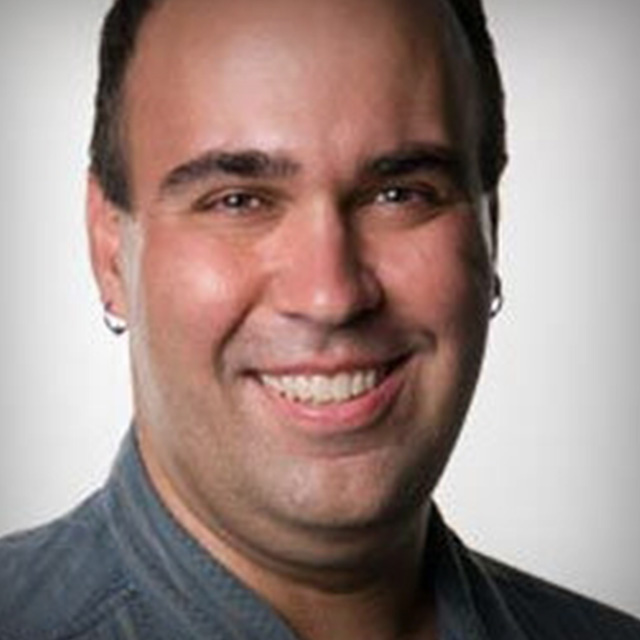
Richard Harrington shares Final Cut Pro color correction strategies and techniques to take your edit to the next level. Improve image color and quality, correct common problems, and create special effects that enhance your project's goals.
Release Date: 2008-08-06
Lessons
Introduction
<p>Richard Harrington introduces the techniques that will be covered in this lesson.</p>
Duration: 0 mins 31 seconds
Setting Up the Workstation
<p>Richard Harrington explains what equipment and environmental concerns you need to keep in mind while setting up your workstation.</p>
Duration: 4 mins 4 seconds
Sequence and Interface Settings, Part 1
<p>Richard Harrington shows you how to best set up Final Cut's sequence and interface settings for color correction. Part 1</p>
Duration: 3 mins 39 seconds
Sequence and Interface Settings, Part 2
<p>Richard Harrington shows you how to best set up Final Cut's sequence and interface settings for color correction. Part 2</p>
Duration: 4 mins 30 seconds
Introduction to Scopes, Part 1
<p>Richard Harrington shows you the scopes you will need to use to diagnose and correct color problems. Part 1</p>
Duration: 2 mins 58 seconds
Introduction to Scopes, Part 2
<p>Richard Harrington shows you the scopes you will need to use to diagnose and correct color problems. Part 2</p>
Duration: 5 mins 8 seconds
Vector Scope, Part 1
<p>Richard Harrington shows you how to use Final Cut Pro's vector scope. Part 1</p>
Duration: 4 mins 43 seconds
Vector Scope, Part 2
<p>Richard Harrington shows you how to use Final Cut Pro's vector scope. Part 2</p>
Duration: 5 mins 3 seconds
Waceform Monitor, Part 1
<p>Richard Harrington shows you how to use Final Cut Pro's waveform monitor. Part 1</p>
Duration: 2 mins 45 seconds
Waceform Monitor, Part 2
<p>Richard Harrington shows you how to use Final Cut Pro's waveform monitor. Part 2</p>
Duration: 6 mins 7 seconds
Waceform Monitor, Part 3
<p>Richard Harrington shows you how to use Final Cut Pro's waveform monitor. Part 3</p>
Duration: 4 mins 1 seconds
Primary Color Correction, Part 1
<p>Richard Harrington explains how to fix contrast and color balance in primary color correction. Part 1</p>
Duration: 6 mins 31 seconds
Primary Color Correction, Part 2
<p>Richard Harrington explains how to fix contrast and color balance in primary color correction. Part 2</p>
Duration: 5 mins 48 seconds
Primary Color Correction, Part 3
<p>Richard Harrington explains how to fix contrast and color balance in primary color correction. Part 3</p>
Duration: 4 mins 19 seconds
Color Correcting in HD, Part 1
<p>Richard Harrington shows you how to properly color correct HD footage. Part 1</p>
Duration: 5 mins 32 seconds
Color Correcting in HD, Part 2
<p>Richard Harrington shows you how to properly color correct HD footage. Part 2</p>
Duration: 3 mins 8 seconds
Primary Color Correction: More Examples, Part 1
<p>Richard Harrington takes you deeper into primary color correction with more tips and examples. Part 1</p>
Duration: 4 mins 48 seconds
Primary Color Correction: More Examples, Part 2
<p>Richard Harrington takes you deeper into primary color correction with more tips and examples. Part 2</p>
Duration: 6 mins 6 seconds
Primary Color Correction: More Examples, Part 3
<p>Richard Harrington takes you deeper into primary color correction with more tips and examples. Part 3</p>
Duration: 3 mins 51 seconds
Primary Color Correction: More Examples, Part 4
<p>Richard Harrington takes you deeper into primary color correction with more tips and examples. Part 4</p>
Duration: 3 mins 18 seconds
Tackling Exposure Problems
<p>Richard Harrington explains how to use Final Cut Pro to fix exposure problems in your footage.</p>
Duration: 6 mins 57 seconds
Secondary Color Correction, Part 1
<p>Richard Harrington shows you how to get more out of color correction by using a secondary correction. Part 1</p>
Duration: 7 mins 16 seconds
Secondary Color Correction, Part 2
<p>Richard Harrington shows you how to get more out of color correction by using a secondary correction. Part 2</p>
Duration: 4 mins 11 seconds
Secondary Color Correction, Part 3
<p>Richard Harrington shows you how to get more out of color correction by using a secondary correction. Part 3</p>
Duration: 8 mins 5 seconds
Using the Shadow Highlight Filter
<p>Richard Harrington shows you how to use the shadow highlight filter to fix a piece of video.</p>
Duration: 6 mins 38 seconds
Secondary Color Correction, Part 4
<p>Richard Harrington shows you how to get more out of color correction by using a secondary correction. Part 4</p>
Duration: 5 mins 58 seconds
Selecting from Multiple Shots
<p>Richard Harrington compares and contrasts multiple ways to color correct a video clip.</p>
Duration: 5 mins 34 seconds
Skin Tones, Part 1
<p>Richard Harrington shows you how to properly color correct skin tones in Final Cut Pro. Part 1</p>
Duration: 4 mins 46 seconds
Skin Tones, Part 2
<p>Richard Harrington shows you how to properly color correct skin tones in Final Cut Pro. Part 2</p>
Duration: 7 mins 43 seconds
Scene-to-Scene Color Correction, Part 1
<p>Richard Harrington explains how to do scene-to-scene color correction so different shots in one scene match. Part 1</p>
Duration: 3 mins 42 seconds
Scene-to-Scene Color Correction, Part 2
<p>Richard Harrington explains how to do scene-to-scene color correction so different shots in one scene match. Part 2</p>
Duration: 5 mins 4 seconds
Scene-to-Scene Color Correction, Part 3
<p>Richard Harrington explains how to do scene-to-scene color correction so different shots in one scene match. Part 3</p>
Duration: 5 mins 47 seconds
Color Corrector Filter 01
<p>Richard Harrington shows you how to use Final Cut's color corrector filter, as opposed to the color corrector 3-way. Part 1</p>
Duration: 2 mins 55 seconds
Color Corrector Filter 02
<p>Richard Harrington shows you how to use Final Cut's color corrector filter, as opposed to the color corrector 3-way. Part 2</p>
Duration: 3 mins 34 seconds
Color Corrector Filter 03
<p>Richard Harrington shows you how to use Final Cut's color corrector filter, as opposed to the color corrector 3-way. Part 3</p>
Duration: 5 mins 21 seconds
Color Corrector Filter 04
<p>Richard Harrington shows you how to use Final Cut's color corrector filter, as opposed to the color corrector 3-way. Part 4</p>
Duration: 3 mins 45 seconds
Conclusion
<p>Richard Harrington concludes this color correction title.</p>
Duration: 1 mins 4 seconds