Photoshop Quick Tips
Learn how to turn your snapshots into great shots in Photoshop in minutes, actually in about 3 minutes or less! This fast-paced set of lessons is designed for those who want to get great results immediately, without using a stack of adjustment layers and super-sophisticated techniques.
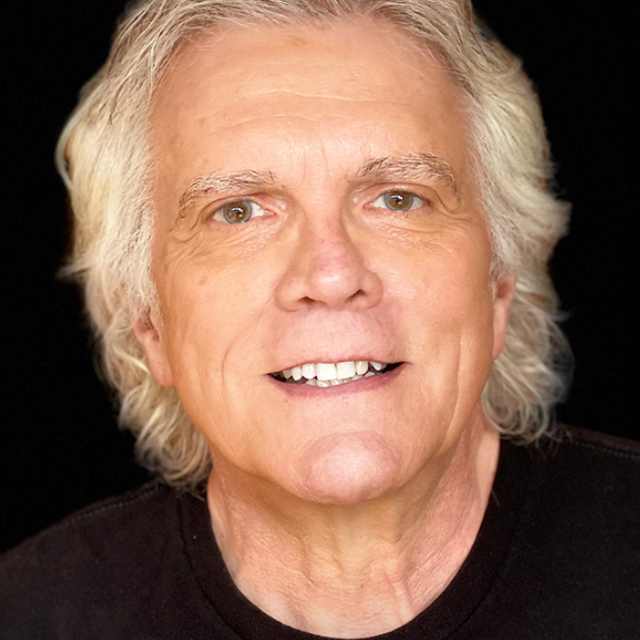
Release Date: 2008-07-23
Lessons
Introduction
<p>An introduction to the course from instructor Rick Sammon</p>
Duration: 0 mins 40 seconds
Creating the Panning Effect
<p>Here is a quick and easy method to add a sense of motion to a still image. It is a cool use for the Motion Blur filter.</p>
Duration: 3 mins 34 seconds
Wow Them With the Telephoto Lens Effect
<p>Got big glass? If not, this technique creates the effect of shooting with a long telephoto lens set at a wide aperture. It is a great effect for wildlife and portraits.</p>
Duration: 2 mins 50 seconds
Recreating the Original Scene
<p>Our eyes see 11 f-stops. Our cameras only see 5-6 f-stops. This lesson demonstrates how to recreate in Photoshop what we see with our eyes.</p>
Duration: 3 mins 10 seconds
Infrared Photoshop Style
<p>Sure, IR converted cameras are cool. But here is a quick technique for creating the IR effect in Photoshop.</p>
Duration: 1 mins 22 seconds
Correct Perspective
<p>If you do not have $1,500 to spend on a perspective control (PC) lens, this lesson is for you. Use the Transform tool to correct the keystone effect in seconds.</p>
Duration: 2 mins 8 seconds
Faking the Full-frame Fisheye Effect
<p>Love those fisheye shots with a curved horizon line? It is an effect you can easily create in Photoshop, from photos taken with a standard lens.</p>
Duration: 1 mins 42 seconds
Fading a Filter
<p>Have a creative bent? Use Fade Filter to create endless, custom and creative effects with any filter.</p>
Duration: 2 mins 19 seconds
Make Your Subject Stand Out
<p>Hey, if darkening the edges of an image was good enough for Rembrandt, it is good enough for us Photoshop Users. Check it out!</p>
Duration: 3 mins 18 seconds
Playing with Polar Coordinates
<p>This artistic effect, created with Polar Coordinates, is a big hit in my seminars and workshop. Works great with flowers.</p>
Duration: 1 mins 49 seconds
Magical Mirror Effect
<p>It is all done with mirrors. Well, except if you use Photoshop to create the magical mirror effect. Create a cool image and reflect on it for a while.</p>
Duration: 3 mins 20 seconds
Zoom It!
<p>Add pizzazz to an image by creating the in-camera zooming effect. Make your shots jump off the page (or your site) using the Radial Blur filter.</p>
Duration: 4 mins 8 seconds
Art History Brush Lesson
<p>There is no history lesson here, just a quickie on how to use the Art History Brush to turn a picture into a painting.</p>
Duration: 2 mins 14 seconds
Photoshop Diet
<p>Better than the South Beach Diet, the Photoshop Diet is free with Photoshop. Take pounds off your subjects with a few clicks of a mouse.</p>
Duration: 1 mins 54 seconds
Black and White and Color in the Same Image
<p>Reducing the color in a scene makes an image more creative because we remove some of the reality. Awaken the artist within with this cool technique.</p>
Duration: 2 mins 43 seconds
Outtake to Keeper
<p>Don not be so eager to press the delete button on your camera. Here is just one quick example of how to save a shot, especially if it is tilted!</p>
Duration: 7 mins 27 seconds
Hand Color an Image
<p>Learn how to use your mouse or stylus to hand-color an image using a Color Layer. Create your own works of art.</p>
Duration: 3 mins 21 seconds
Total Recall?
<p>Use the History Log, the Notes Tool, and Adjustment Layers for total recall. Never lose track of your adjustments and enhancements again.</p>
Duration: 4 mins 5 seconds
Make a 1960 Pop Art Poster
<p>Like the Pop Art work of Peter Max? Simulate that look with the Posterize effect and the Liquify filter. Cool man!</p>
Duration: 3 mins 25 seconds
New to Old
<p>Add film grain, darken the edges, and desaturate the high-tech images from your digital camera. Make 'em look as though they were taken with a film camera decades ago.</p>
Duration: 4 mins 8 seconds
Save A Backlit Shot
<p>Okay, so the Shadow/Highlight adjustment is a pretty basic adjustment. Still, it's a power adjustment that can improve your images. Try it, you'll like it.</p>
Duration: 3 mins 22 seconds
Simulating Rear-curtain Sync
<p>This is a cool effect that guarantees the motion effect you get with in-camera rear-curtain synch. In-camera, it can be hit or miss.</p>
Duration: 2 mins 27 seconds
Snapshot to Art Shot
<p>Take an okay snapshot and transform it into a creative image using the Diffuse Glow filter and artistic brushes. It's another quick and easy idea for creative image-makers.</p>
Duration: 3 mins 34 seconds
Suitable for Framing
<p>Add some creative presentation to your photos by adding a frame</p>
Duration: 8 mins 24 seconds
Basic Enhancements in the Enchanted Islands
<p>Follow along with these steps of a basic photo enhancement using pictures from the Galapagos Islands</p>
Duration: 15 mins 53 seconds
Fly-out Arrow Fun
<p>Take a tour of the fly-out arrows and explore the other menu options available in Photoshop</p>
Duration: 18 mins 15 seconds
Cool RAW File Image Processor
<p>Processing RAW files in Photoshop</p>
Duration: 3 mins 6 seconds
Fun with Photomerge
<p>A quick look at some of the fun you can have with Photoshop's photomerge feature</p>
Duration: 6 mins 6 seconds
Conclusion
<p>Don't forget to download the lesson images so that you can practice these techniques</p>
Duration: 0 mins 25 seconds