Photoshop for Video - Working With Photos
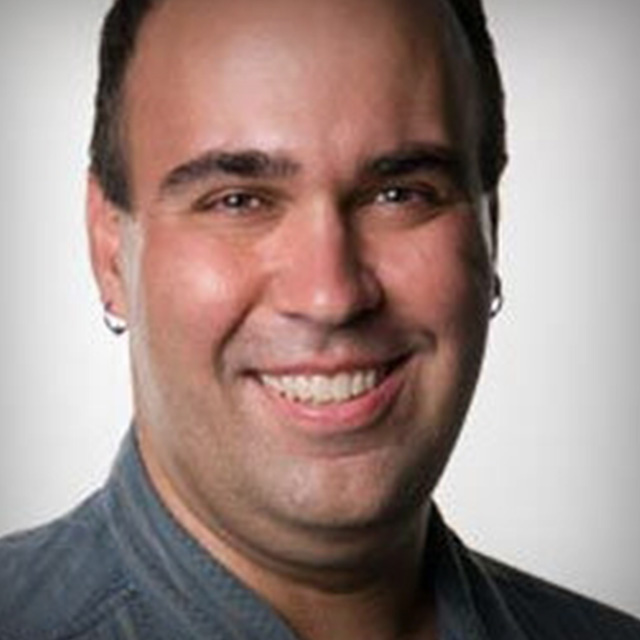
Richard Harrington uncovers techniques essential for video editors who are working with Photos in Photoshop. He shares his best practices for working with graphic and still images in a video environment.
Release Date: 2008-02-21
Lessons
Introduction
<p>Using Photos in a video workflow.</p>
Duration: 0 mins 25 seconds
Photos on the Screen Part 1
<p>What is your editing format?</p>
Duration: 5 mins 30 seconds
Photos on the Screen Part 2
<p>Setting Up for HD</p>
Duration: 7 mins 59 seconds
Image Acquisition
<p>Three ways to get images.</p>
Duration: 0 mins 30 seconds
Image Acquisition Methods
<p>From scanners, cameras and videos.</p>
Duration: 8 mins 5 seconds
Making Great Scene Selections
<p>Making accurate selections for image processing.</p>
Duration: 0 mins 27 seconds
Scene Selections Part 1
<p>Using the Magic Wand Tool.</p>
Duration: 8 mins 48 seconds
Making Great Scene Selections Part 2
<p>Using the Quick Selection Tool and the Refine Edge command.</p>
Duration: 7 mins 1 seconds
About Layer Masks
<p>Introducing Layer Masks</p>
Duration: 0 mins 25 seconds
Using Layer Masks Part 1
<p>Using Layer Masks and Channels.</p>
Duration: 6 mins 28 seconds
Using Layer Masks Part 2
<p>Experimenting with Image Calculations.</p>
Duration: 7 mins 42 seconds
Introduction: Retouching Images for Video
<p>Tools for improving images.</p>
Duration: 0 mins 20 seconds
Retouching Images for Video Part 1
<p>Blur, sharpen and smudge.</p>
Duration: 9 mins 10 seconds
Retouching Images for Video Part 2
<p>Defining Depth of Field</p>
Duration: 8 mins 47 seconds
Adjustment Layers
<p>A Non Destructive Workflow</p>
Duration: 0 mins 41 seconds
Using Adjustment Layers Part 1
<p>Examining Layer Adjustment Tools.</p>
Duration: 9 mins 3 seconds
Using Adjustment Layers Part 2
<p>Fixing images with color problems.</p>
Duration: 8 mins 35 seconds
Shadow/Highlight Command Introduction
<p>Rich introduces the Shadow/Highlight Command</p>
Duration: 0 mins 37 seconds
Shadow/Highlight Command
<p>Correcting Shadows and Highlight problems in your images.</p>
Duration: 5 mins 26 seconds
Stylizing Photos
<p>An Introduction</p>
Duration: 0 mins 24 seconds
Stylizing Photos Part 1
<p>Blurs, Blend Modes and Gradient Maps.</p>
Duration: 7 mins 55 seconds
Stylizing Photos Part 2
<p>Using a Radial Blur</p>
Duration: 2 mins 41 seconds
Creating DVDs
<p>Introduction to creating DVDs</p>
Duration: 0 mins 27 seconds
Creating a DVD Slideshow Part 1
<p>The Power of Automation</p>
Duration: 4 mins 2 seconds
Prepping Photos for Client Review
<p>Prepping Photos for Client Review</p>
Duration: 0 mins 27 seconds
Prepping Photos for Client Review
<p>Using Contact Sheets</p>
Duration: 5 mins 12 seconds
Intro: Auto-Align Layers
<p>Cutting down the cost of your video production.</p>
Duration: 0 mins 36 seconds
Auto-Align Layers
<p>Creating a Backdrop Image</p>
Duration: 3 mins 34 seconds