Speed Up Your Portrait Retouching Workflow Using the Perfectly Clear Plug-In
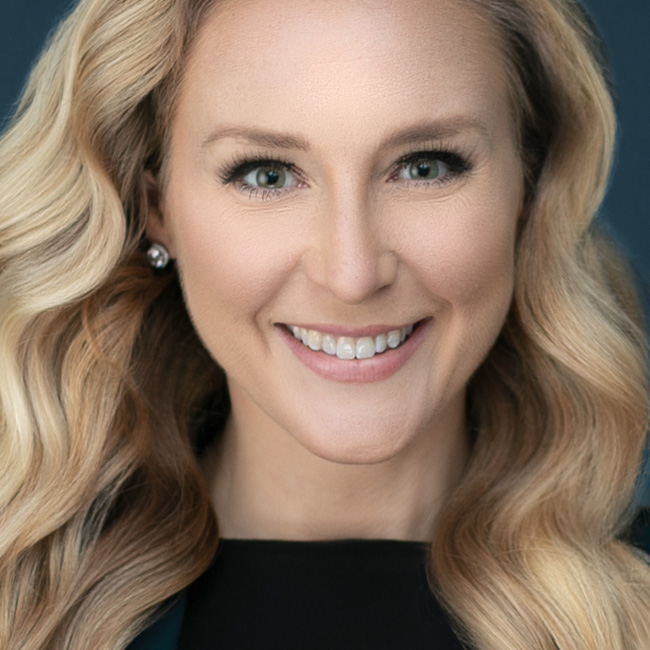
Learn how to perform amazing portrait retouching with Perfectly Clear Complete. Perfectly Clear Complete is a plug-in for Photoshop and Lightroom Classic that was developed from the ground up exclusively for retouching digital photographs. In this class you’ll get oriented to the interface and learn how to make the most of its face selection capabilities to apply intelligent edits to faces, eyes, teeth, and skin. Best of all you can leverage the built-in presets to create your own that you can batch apply right out of Lightroom Classic. <a href="https://eyeq.photos/try/perfectly-clear-complete-v3" target="_blank" rel="noopener noreferrer">Click here</a> for a <strong>FREE TRIAL</strong> of Perfectly Clear or <a href="https://sites.fastspring.com/athentech/product/athentechproducts?coupon=THESHARK" target="_blank" rel="noopener noreferrer">click here</a> to get <strong>20% off</strong> the purchase price.
Release Date: 2019-07-03
Lessons
Introduction
The instructor introduces the class and discusses what will be covered in the lessons that follow.
Duration: 3 mins 36 seconds
Getting Oriented
Get familiar with the Perfectly Clear interface.
Duration: 3 mins 57 seconds
What’s Included
Learn what comes included with Perfectly Clear.
Duration: 6 mins 0 seconds
Face Selection
Learn how Perfectly Clear finds and registers faces.
Duration: 2 mins 56 seconds
Eye Adjustments
There are a lot of capabilities for adjusting the eyes.
Duration: 5 mins 26 seconds
Face Contouring
Learn how to work with the Face section of Perfectly Clear.
Duration: 4 mins 9 seconds
Retouching Skin
Learn the skin smoothing techniques enabled by Perfectly Clear.
Duration: 7 mins 4 seconds
Makeup Application
Perfectly Clear allows for targeted adjustments of underlying skin colors as if you were applying makeup to your subject.
Duration: 4 mins 1 seconds
Create Custom Presets
Starting with a built-in preset, you can customize it and save it as your own.
Duration: 5 mins 16 seconds
Batch Application of Presets
Learn how to apply your presets to a batch of photos at once.
Duration: 6 mins 24 seconds