Retouching Everyday People
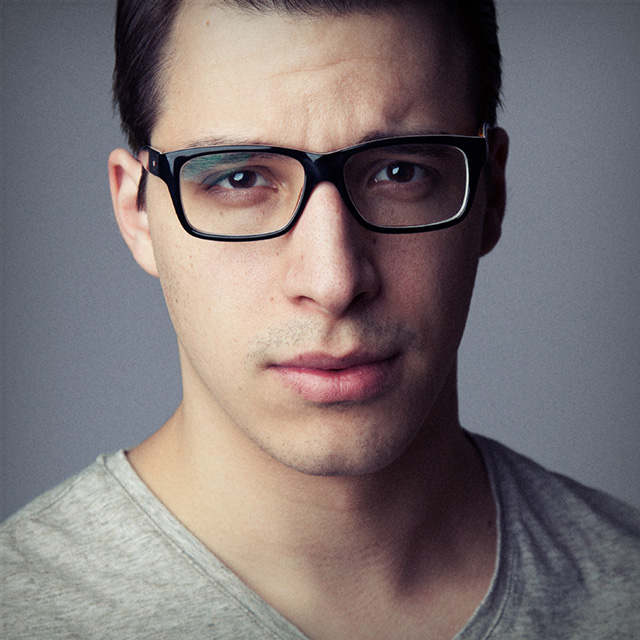
Join professional retoucher, Viktor Fejes, as he demonstrates his system for developing a 15-minute retouch session. It all starts with the provided Photoshop action that you can download, install, and use to follow along with the class. Viktor breaks down every component of the action, which includes setting up the image for retouching, how to perform any destructive edits required, how to remove blemishes, how to remove distractions along the border, helpful techniques for fixing highlights, whitening teeth, and applying digital foundation makeup. Viktor closes out the class with lessons on giving the image a specific look, creating color LUTs that you can reuse, and advice for completing the project.
Release Date: 2018-10-03
Lessons
Introduction
Viktor introduces the class and discusses what will be covered in the lessons that follow.
Duration: 1 mins 26 seconds
The Setup Action
Explore the setup action that is available for downloading to help you get started.
Duration: 5 mins 38 seconds
Destructive Adjustments
The first step of the process is to perform your destructive edits.
Duration: 4 mins 27 seconds
Blemishes Layer
This is the layer for getting rid of blemishes in the photo.
Duration: 5 mins 52 seconds
Border Patrol
Look at the border of photo and remove all distractions.
Duration: 4 mins 29 seconds
Fix Highlights
The highlights fix layer is a special layer designed to help you tone down the highlights.
Duration: 5 mins 48 seconds
Whiten Teeth
Viktor demonstrates a simple method for whitening teeth.
Duration: 5 mins 12 seconds
Digital Foundation Makeup
This is a special type of color adjustment layer that can be used as a way to even out skin tones of your subject.
Duration: 13 mins 31 seconds
Broader Adjustments
Broad adjustments covers curves and levels adjustment layers applied to the photo.
Duration: 10 mins 17 seconds
Giving the Image a Look
Learn how to give the image a stylistic look that suits the needs of the project.
Duration: 10 mins 47 seconds
Color LUTs
A lookup table is a way to change the colors in a photo to another color. Once you’ve created a look you can turn it into a LUT.
Duration: 6 mins 10 seconds
Extra Filters
Viktor explains the additional filters included in the action.
Duration: 12 mins 36 seconds
Closing Advice
Viktor wraps up the class with some closing advice on things to do before finishing the image.
Duration: 5 mins 12 seconds