Pro Quality Headshots Using a Simple Setup
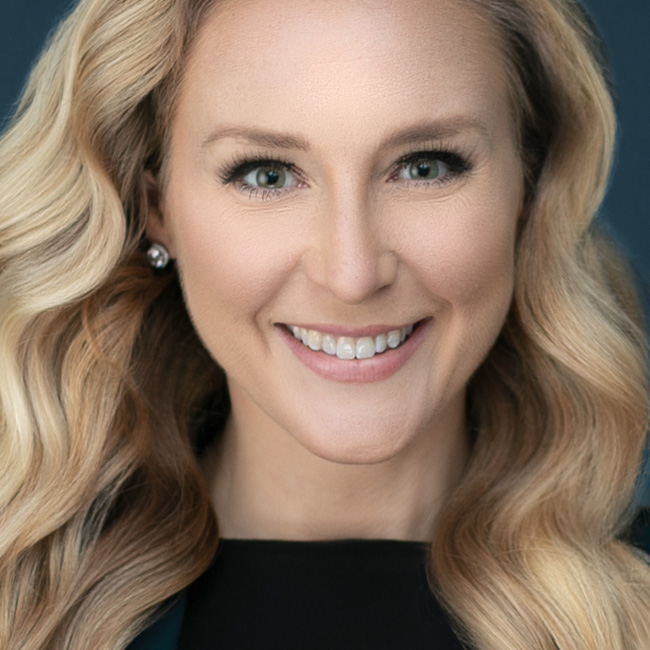
Learn how to create pro-level headshots with with Kristi Sherk! You may know Kristi as an amazing retoucher, but corporate headshots are a large part of her business. In the first part of this class Kristi takes you through her lighting setup, teaches you how to prepare for the shoot with the goal of saving you time in post production, how to coach your subjects, and how she reviews the shoot with the client to make the final selects. The second part of class is all about how to deal with some of the more problematic retouching situations you might encounter, such as reflections on glasses or reducing wrinkles on clothing. Kristi is all about saving you time in post production, so she wraps up the class with a look at actions and plug-ins you can leverage in your workflow.
Release Date: 2018-09-13
Lessons
Lighting Setup
Join Kristi as she introduces the class and jumps right into her lighting setup.
Duration: 6 mins 9 seconds
Camera Ready Kit
Build a kit of tools to help you get better photos and save on post production time.
Duration: 4 mins 13 seconds
Shooting Tethered
Shooting while tethered to your computer improves your workflow in a number of ways.
Duration: 7 mins 26 seconds
Coaching Your Client
You need to be in control of the entire shoot, and don’t let the shoot control you.
Duration: 12 mins 32 seconds
Client Photo Review
Once the shoot is done you’ll want to review the photos with your client to ensure they are happy with the results.
Duration: 9 mins 34 seconds
Removing Reflections in Eye Glasses
While best to remove the reflection while you are shooting, Kristi shares techniques for removing them in Photoshop.
Duration: 13 mins 43 seconds
Reducing Shine on Skin
Learn how to tone down the shine on a client’s skin in Photoshop.
Duration: 6 mins 58 seconds
Reducing Wrinkles in Clothing
Cleaning up clothing wrinkles can make a huge difference in the client’s appearance.
Duration: 13 mins 54 seconds
Reducing Double Chin
Face-aware Liquify can recognize facial features and give you amazing tools to adjust eyes, lips, and face shapes.
Duration: 10 mins 24 seconds
Making Actions Work For You
Photoshop can record your steps and save them as an action that you can easily re-do those steps and save time.
Duration: 7 mins 27 seconds
Using Photoshop Plug-ins
There are a few plug-ins for Photoshop that can save you time in your retouching work.
Duration: 12 mins 48 seconds