Painting Portraits in Corel Painter 2017
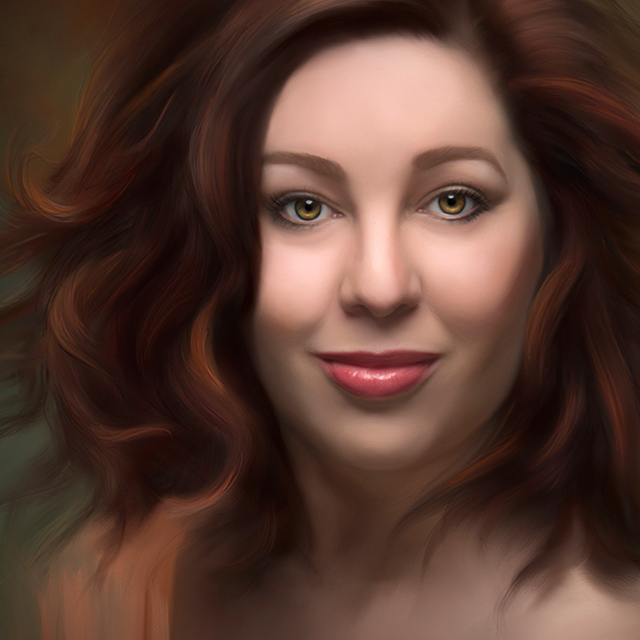
Turn your photographs into beautiful paintings! Join Heather the Painter as she introduces you to Corel Painter 2017, and shares her tips and workflow to show you how to easily create custom paintings from your photos. Using a Wacom tablet for greater control and a natural brush stroke, Heather starts with an orientation to Painter, how to customize brushes, and how to configure your Wacom tablet for optimal settings. From there she expertly steps you through her workflow as she transforms a portrait photograph into a stunning painting. Whether you are painting for yourself or your clients, you’ll have a great foundation for getting the most out of Corel Painter.
Release Date: 2017-01-11
Lessons
Introduction
Join Heather as she introduces the class and discusses what will be covered in the lessons that follow. Heather jumps right in with a tour of Painter.
Duration: 14 mins 42 seconds
Customizing Brushes
Painter’s Brush Engine allows you to customize and select very natural looking brushes.
Duration: 18 mins 58 seconds
Starting Your Portrait
In this lesson Heather teaches you how to get started with your painting.
Duration: 10 mins 42 seconds
Applying Your Brushes
Having your Wacom tablet set up correctly will help you get more expressive brush strokes.
Duration: 17 mins 7 seconds
Cloning In
With the background where you want it, you can begin to clone in the clothing and detail.
Duration: 9 mins 8 seconds
Skin and Hair
One workflow approach is to start on the skin first, saving the face for last.
Duration: 22 mins 6 seconds
Lips, Nose, and Eyes
The lips, nose, and eyes are the defining features of the face, and you really want to bring those to life.
Duration: 12 mins 9 seconds
Light and Color Placement
One of the keys to bringing your subject to life is the proper light and color placement.
Duration: 13 mins 35 seconds
Hair
Time to paint in hair with that same 3 step process of starting with a clone base, build up with color, and then refine with blending.
Duration: 13 mins 38 seconds
Finishing the Painting
The final steps involve cleaning up edges, ensuring the background meshes with the subject, and final touches to make it look realistic.
Duration: 7 mins 50 seconds